

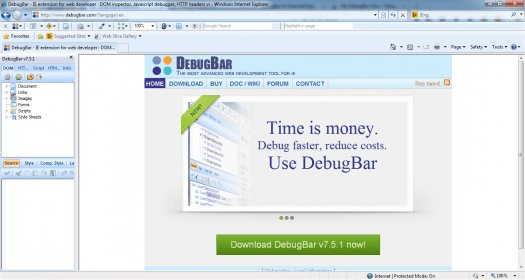
You wouldn’t expect web developers to work with the Internet Explorer browser because of its rather negative fame, but since many users do, they have to do too. That’s why this tool has been created. It offers many of the same functions for the infamous Internet Explorer as the Web Console (the former Error Console) does for Firefox. DebugBar will allow you to inspect the HTML of any page and modify its source code in real time, while using IE. Inspecting and analyzing the JavaScript code and the CSS information is also possible.
Many would find DebugBar to seem rather lightweight and less feature-rich in comparison with the similar tools for Firefox or Chrome, but its analyzing and debugging capabilities are just as powerful as the ones of those tools. It also offers a very handy DOM Tree viewing mode that lets you easily inspect and change tags and CSS attributes on the fly, making the testing and previewing of a page modification very simple and easy. I also like a lot that it lets you view HTTP/S request, GET and POST parameters, AJAX requests and JavaScript functions.
There’s also a neat and handy HTML checking feature that lets you validate HTML code. The toolbar can be easily customized, as it allows you to choose which features and icons to make visible and which ones should be hidden.
In conclusion, DebugBar for Internet Explorer is a really handy extension that makes Internet Explorer less scary for developers as it provides useful debugging and analysis features.





Comments